How to pay by card without a PayPal account
You can pay with an ordinary bank card — no PayPal account required. PayPal here works simply as a secure form for entering your card: we never see the number, and you do not go through registration.
The whole path is five short steps below.
Step 1. Choose PayPal and click Pay
On the payment page choose the first method — Paypal — and click the button below.
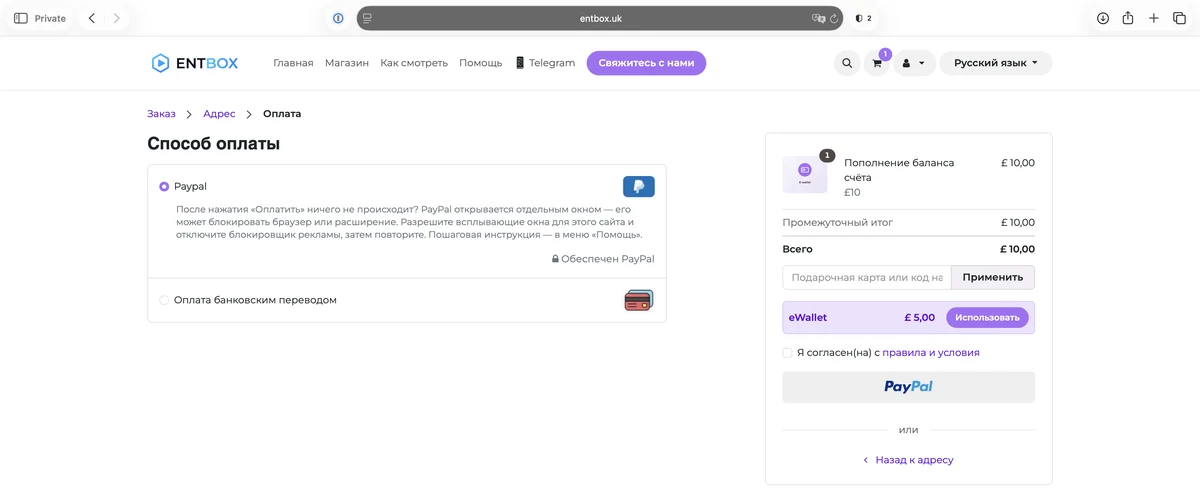
A separate PayPal window opens. If nothing appeared, your browser or an ad blocker closed it: allow pop-ups for our site and click Pay again.
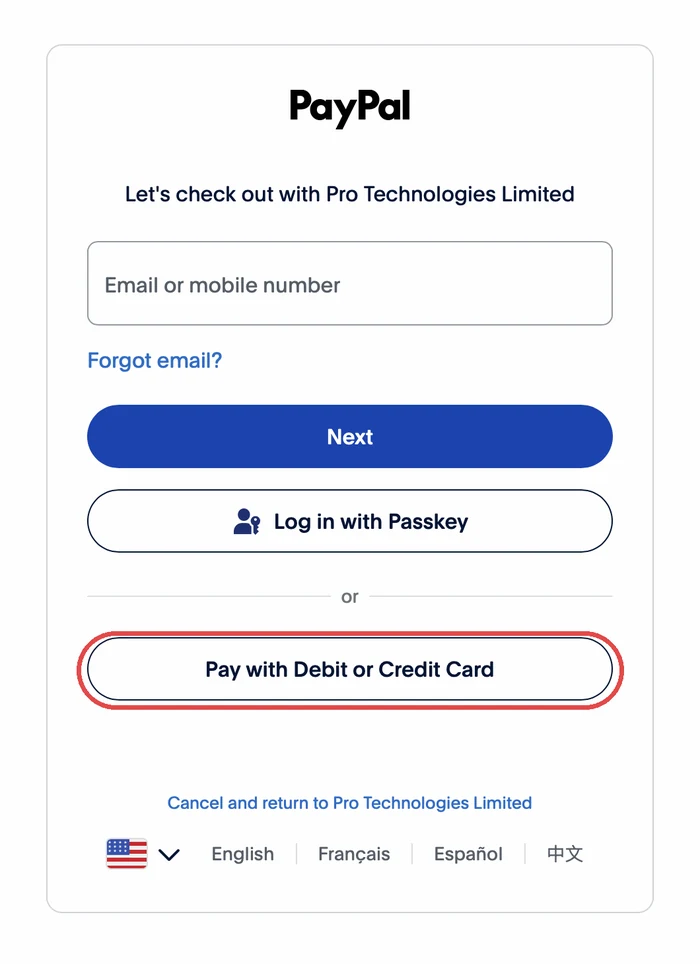
Step 2. Click «Pay with Debit or Credit Card»
You do not need to type anything into the email field. Click the button at the bottom — it is separated by the word «or».
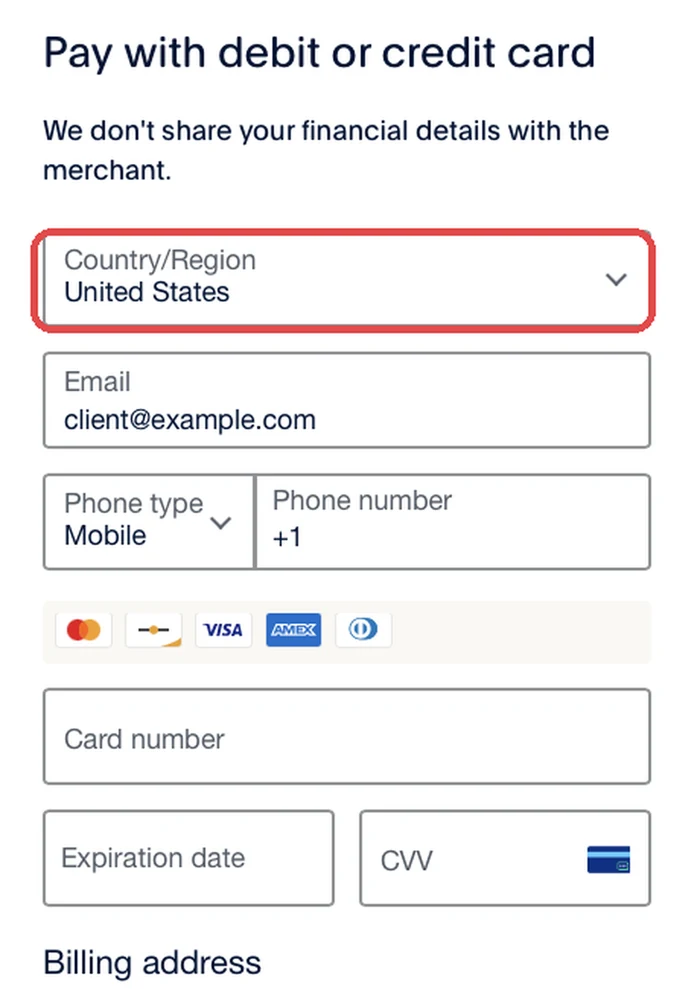
Step 3. Set your country
The first field in the form is Country/Region, and it defaults to United States. Change it to your country — otherwise the form will ask for a US state and ZIP code.
Then fill in the card number, expiry date, CVV and the address linked to the card.
Step 4. Decide whether you want a PayPal account
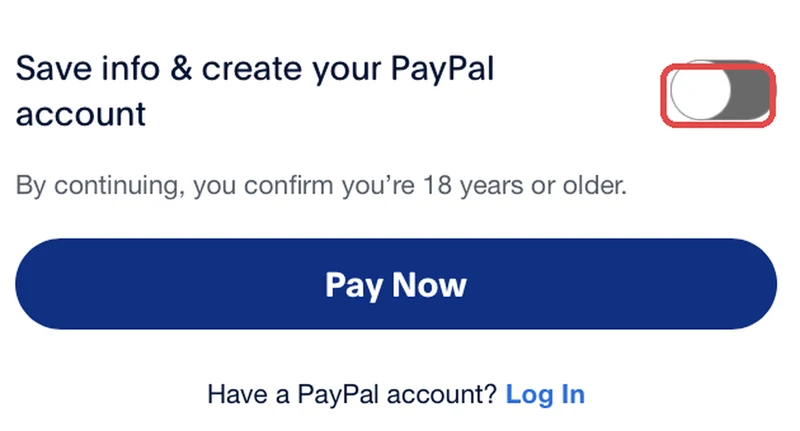
At the very bottom there is a toggle «Save info & create your PayPal account». It is on by default, and while it is on PayPal asks you to create a password and the button reads «Create Account & Pay Now».
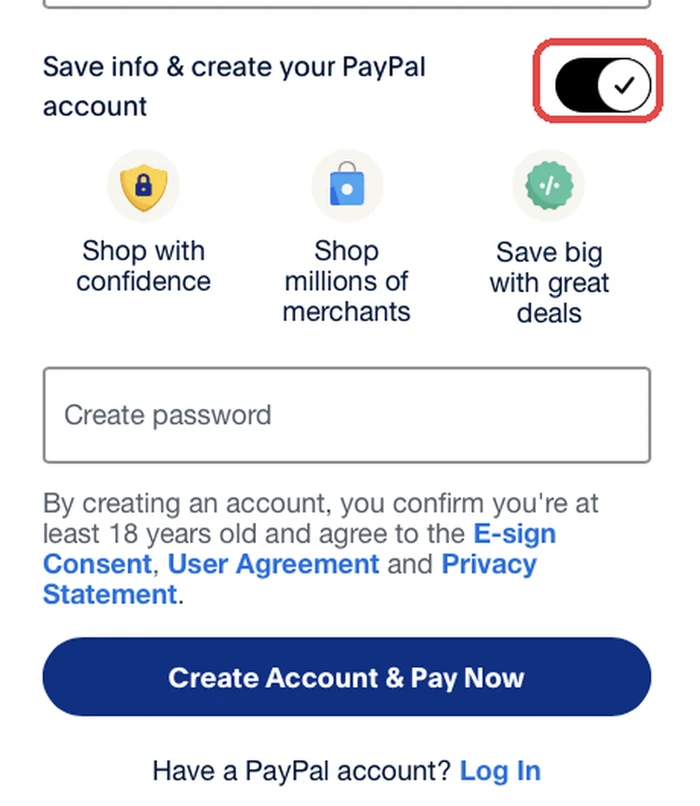
You have a choice here.
Leave it on — PayPal saves your card and creates an account. Next time payment takes a couple of seconds: you just log in, with nothing to type again. Convenient if you renew your subscription regularly.
Turn it off — a one-off payment, no registration and no password. The card is not stored anywhere, so next time you enter the details again.
Both options are equally safe; the difference is only in convenience later.
Step 5. Click the payment button
With the toggle off the button reads «Pay Now» — click it.
After payment you return to our site and PayPal sends a confirmation to your email. If you were topping up your balance, the money appears on your account straight away.
If something did not work
Please do not click Pay several times over: each attempt creates a new order, which then has to be sorted out manually. Write to us on WhatsApp or at info@entbox.uk — we will see where it stopped and help. Nothing is switched off while we sort it out.